






Have you ever dreamed of sharing your gaming adventures with the world? Maybe you want to show off your skills, entertain others, or even make money playing your favorite games. Starting a gaming YouTube channel is one of the best ways to do that!
The gaming community on YouTube is massive and still growing. From walkthroughs and tutorials to funny moments and live streams, there’s always room for fresh and creative voices. But with so much competition, you might wonder: How can I stand out and grow my own channel?
Don’t worry! This guide will walk you through everything you need to know to start a gaming YouTube channel—from choosing your niche to uploading your first video.
🎯 Step 1: Choose Your Gaming Niche
Before hitting record, you need to know what kind of content you want to create. Your niche defines your audience and helps people find your channel.
Here are some popular gaming content ideas:
- Let’s Plays: Play through games while adding commentary.
- Game Reviews: Share your opinions and experiences with new releases.
- Tutorials and Tips: Teach others how to get better at specific games.
- Funny Moments or Compilations: Highlight hilarious or epic moments.
- Speedruns: Complete games as fast as possible.
- Live Streams: Interact with your audience in real-time.
💡 Pro Tip: Pick a niche you genuinely love. If you’re passionate about the games you play, your energy will show—and viewers will love it.
🕹️ Step 2: Pick the Right Equipment
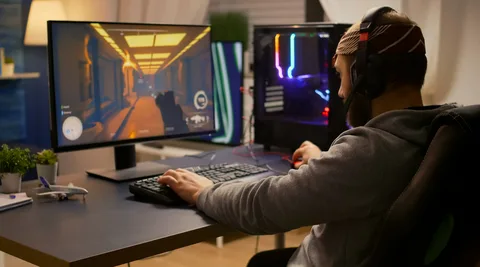
You don’t need expensive gear to start. Many successful YouTubers began with basic setups and upgraded over time. Here’s what you’ll need:
🎧 Basic Setup for Beginners:
- A decent computer or console: Make sure it can handle gaming and recording smoothly.
- Screen recording software: OBS Studio (free) or Nvidia ShadowPlay are great options.
- Microphone: Clear audio is more important than HD visuals. USB mics like the Blue Snowball or Fifine are budget-friendly.
- Webcam (optional): If you want to show your face while gaming, use a simple HD webcam.
- Editing software: DaVinci Resolve and CapCut are good free options; Adobe Premiere Pro is great for professionals.
🎥 Remember: Good content doesn’t require fancy gear—it requires creativity and effort.


💡 Step 3: Create Your Channel and Set It Up Professionally
Once you’ve got your equipment, it’s time to build your YouTube channel.
✅ Steps to Set Up:
- Create a Google Account: You’ll need it for YouTube.
- Choose a catchy channel name: Something short, memorable, and relevant to gaming.
- Design a logo and banner: Tools like Canva make it easy. Keep it clean and eye-catching.
- Write an engaging channel description: Explain what your content is about and what viewers can expect.
- Add social links: Include links to your Discord, Twitch, or Instagram so fans can connect.
🖌️ Branding matters! A professional-looking channel builds trust and attracts more subscribers.
🎮 Step 4: Plan Your Content Strategy
Consistency and creativity are key. Plan out what types of videos you’ll make and how often you’ll upload.
Example Content Plan:
| Day | Content Type | Example |
|---|---|---|
| Monday | Gameplay Commentary | “Minecraft Survival Part 1” |
| Wednesday | Tips/Guide | “Top 5 Fortnite Tricks for Beginners” |
| Friday | Funny Moments | “Best Fails in Call of Duty” |
Try to post at least once or twice a week. Viewers love regular uploads, and YouTube rewards consistency with better visibility.
🧠 Tip: Keep your videos short and engaging at first—5 to 10 minutes is ideal for new creators.
🎤 Step 5: Record and Edit Like a Pro
Recording Tips:
- Keep background noise to a minimum.
- Check your mic and camera settings before recording.
- Be yourself—talk naturally, just like you’re chatting with a friend.
- Keep energy levels up! A lively voice keeps viewers hooked.
Editing Tips:
- Cut out boring parts to keep your video fast-paced.
- Add music and sound effects to make it more entertaining.
- Use captions or on-screen text for emphasis.
- End your video with a call to action—ask viewers to like, comment, and subscribe.
✂️ Editing takes time, but it’s what makes your content shine. Great editing can turn an ordinary video into something people love to share.
🚀 Step 6: Optimize Your Videos for Search (SEO)
Even the best videos won’t get views if no one can find them. That’s why you need SEO (Search Engine Optimization).
How to Optimize:
- Use keywords in your title (e.g., “How to Start a Gaming YouTube Channel for Beginners”).
- Write detailed descriptions with keywords about your game and topic.
- Add tags related to your video and game title.
- Create an eye-catching thumbnail – bright, clear, and relevant images attract clicks.
- Add timestamps for long videos so viewers can skip to their favorite parts.
📊 Pro Tip: Study successful gaming channels in your niche and note what keywords and thumbnails they use.
💬 Step 7: Engage with Your Audience
Your subscribers are your community—treat them like friends! Respond to comments, ask for feedback, and take suggestions.
Other great engagement tips:
- Pin a fun comment or question under your video.
- Host giveaways or challenges.
- Go live to chat with fans.
- Join gaming forums and share your videos there.
❤️ When you make people feel seen and valued, they’ll stick around and share your content.
💰 Step 8: Grow and Monetize Your Channel
Once you have 1,000 subscribers and 4,000 watch hours, you can join the YouTube Partner Program and start earning money from ads.
But that’s not the only way to make money. You can also:
- Get sponsorships from gaming brands.
- Promote affiliate links for gear or games.
- Sell your own merch (T-shirts, hoodies, etc.).
- Receive donations through platforms like Patreon.
💡 Remember, it takes time. Focus on creating good content first—the money will follow.
🔁 Step 9: Stay Consistent and Keep Improving
Success won’t come overnight. Many top YouTubers spent years growing their audience. Stay patient, stay consistent, and never stop learning.
Watch tutorials, follow trends, and always look for ways to improve your videos. Most importantly, enjoy the process—if you’re having fun, your audience will too.
🌟 Final Thoughts
Starting a gaming YouTube channel is exciting and rewarding. It’s a chance to share your passion, connect with people worldwide, and even turn gaming into a career.
You don’t need to be perfect—you just need to start. Be consistent, stay genuine, and keep learning. Every big YouTuber once uploaded their first video too, so don’t wait. Grab your controller, hit record, and show the world your gaming side!
🎯 5 Frequently Asked Questions (FAQs)
1. Do I need expensive equipment to start a gaming YouTube channel?
No! You can start with a decent PC or console, a free screen recorder, and a basic microphone. Upgrade later as your channel grows.
2. How often should I upload videos?
Consistency matters more than frequency. Start with one or two videos a week and focus on quality over quantity.
3. Can I use copyrighted music in my videos?
Avoid it. Use royalty-free music from sources like YouTube Audio Library to keep your videos safe from copyright strikes.
4. How long does it take to grow a gaming channel?
It varies for everyone. Some grow fast, others take months. Stay consistent, post regularly, and engage with your audience to grow faster.
5. What’s the most important thing for success on YouTube?
Authenticity. Be yourself, enjoy your content, and focus on connecting with your viewers. People subscribe for you, not just the game.